reyemsaibot

SAP BI Blog about SAP BW/4HANA, Analysis for Office and SAP HANA - by Tobias Meyer

Decode an Analysis Office Workbook

The Analysis Office Workbook saves a lot of information in it. The Microsoft Excel format xlsx is a container which can save a lot of other information besides the normal data. When you rename a
xlsx file to a zip file you can extract it with for example 7-Zip. Now you see the following folder structure.
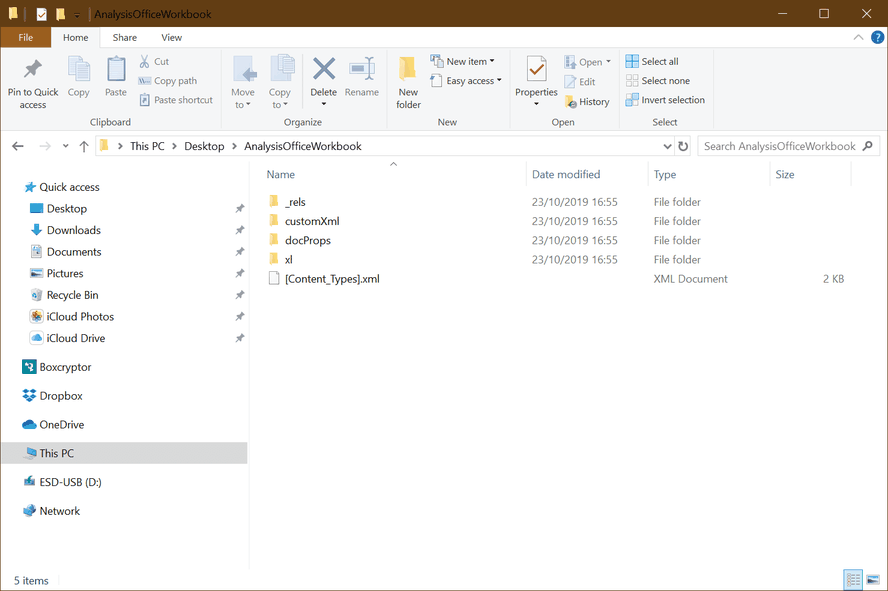
Analysis Office Workbook Structure

When you open the folder xl, you see the custom property. Normally there are several customProperty.bin files listed.

Overview Custom Properties

In my case it is customProperty3.bin (just search for the custom property with the highest size). When you open it for example with notepad++ and select the language setting xml it should look
like this.

Custom Property
Custom Property

You see information like system ID, server, data source and all information which you can set in the component tab in Analysis Office. And you also see a compressed and encoded area which we will
now analyze.
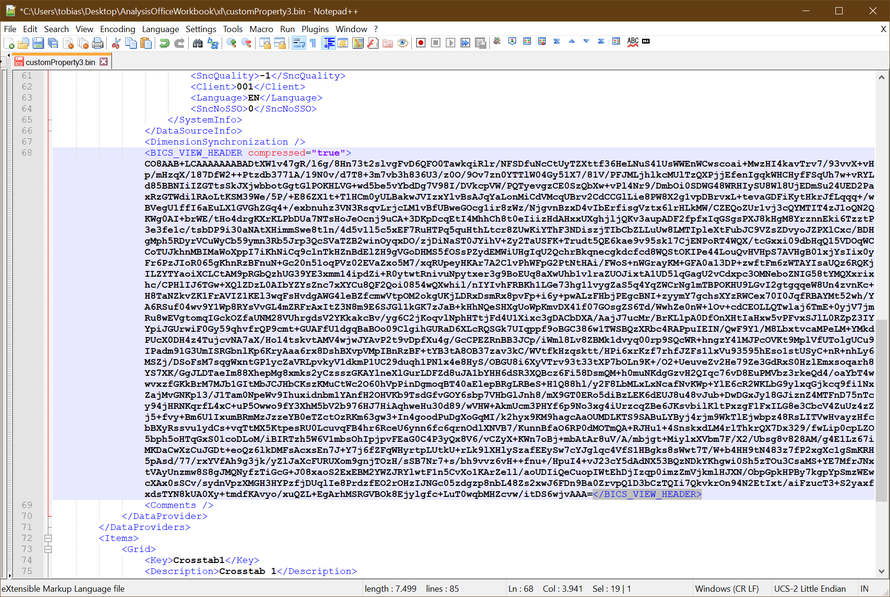
Encoded Area
Encoded Area

In this encoded area SAP stores a lot of information which you cannot see at the first sight. I developed a little tool in Visual Studio to decrypt this area to a readable text.
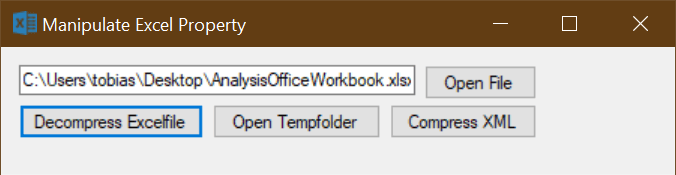
Manipulate Excel Property Tool

Now you see what SAP encoded in this <BICS_VIEW_HEADER> area.
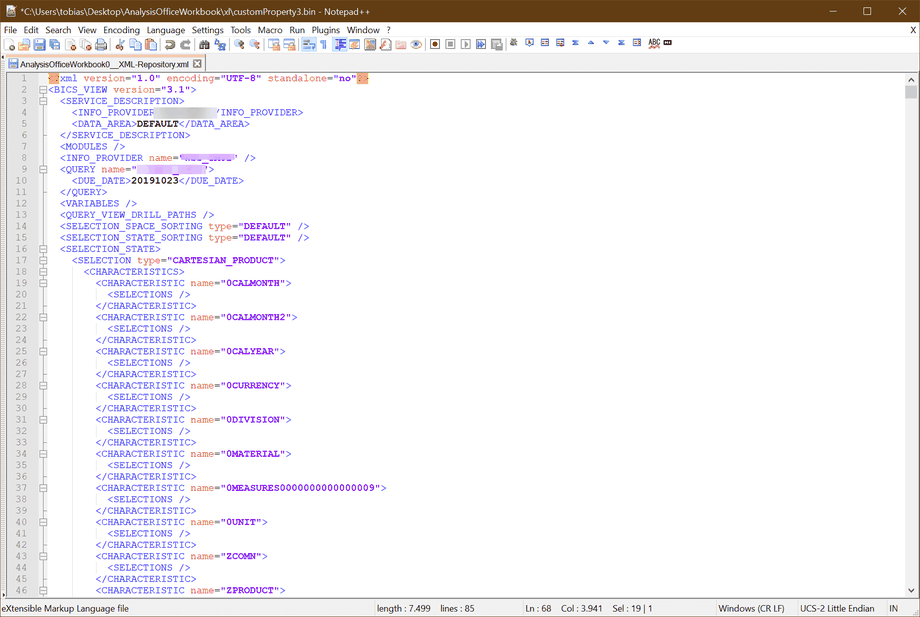
Decrypted <BICS_VIEW_HEADER>

Here we go, we see which dimensions are in this workbook, how sorting for each dimension is adjusted or which valus are stored in the prompt. So we can analyze in detail how the workbook behaves
and maybe discover difference between a development and production system.


Is this something anyone needs? Then I would upload the program to github. Here is the link to github.com

author.


Hi,

I am Tobias, I write this blog since 2014, you can find me on twitterfacebook and youtube. I work as a Senior Business
Warehouse Consultant. In 2016 I wrote the first edition of . If you want you can leave me a paypal coffee
donation. You can also contact me directly if you want.


Kommentare

6 Kommentare zu „Decode an Analysis Office Workbook“

  1. Avatar von Tim
    Tim

    Thats pretty neat. But what use cases do you see for this?

  2. Avatar von Joachim
    Joachim

    Yes please share your code to decompress the BICS_VIEW_HEADER

  3. Avatar von Tobias
    Tobias

    Hi Tim, you can use it to analyze the workbooks from your development system vs. your production system and if they are the same.

  4. Avatar von Tobias
    Tobias

    Hi Joachim, I will upload it to github and set the link in the description in the next days.

  5. Avatar von Joachim
    Joachim

    Thanks, I managed to decode the string however. I’m working on automating the scheduling (and I want to eliminate the need for using Excel) of an AO workbook in SAP-BIP and I need to change the prompt values so my idea is to manipulate the decoded XML and use the rest api to add the file and then schedule it.

  6. Avatar von Tobias
    Tobias

    Hi Joachim, you find the link at the end of the post.

Schreibe einen Kommentar

Deine E-Mail-Adresse wird nicht veröffentlicht. Erforderliche Felder sind mit * markiert