You have different ways to store the logic of your customer exit variables in SAP BW/4HANA. After my last post about Customer Exit Variables with an own enhancement spot I want to share another solution
with you. In this blog post I want to show you how you can implement a BAdI implementation with a Z-Table (Customer Table). In this table you find the assignment between the BEx variable and the corresponding class for the customer exit. This is how the table will look like:
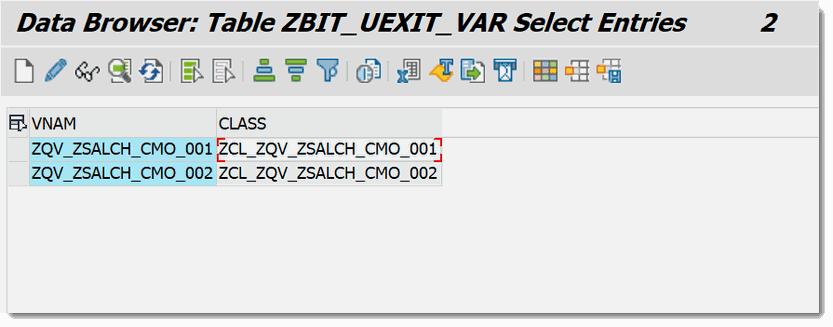
We use this table to determine the corresponding class for our variable. The table structure is very simple. Just create this table in the transaction SE11. As you see the
table has only two fields.
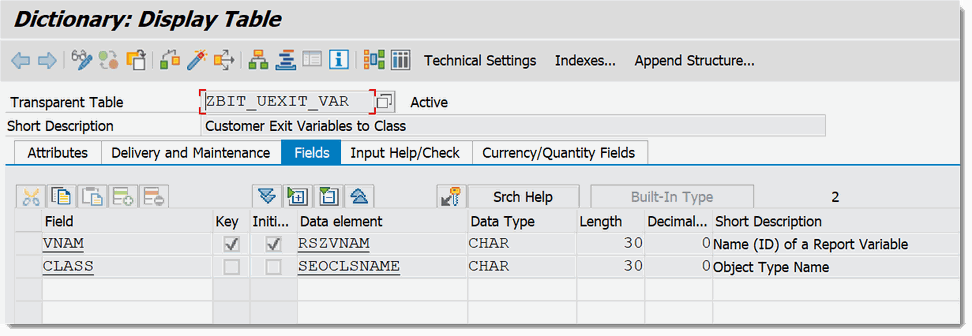
After we have created the customer table in the transaction SE11 we go to the TA SE18 and open our own enhancement spot we created in „BW/4HANA 2.0 Customer Exit Variables with own enhancement spot„.
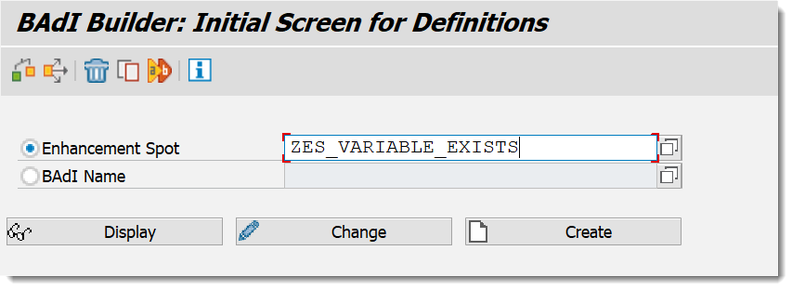
There we create a new BAdI Implementation we will use for our dynamic assignment.
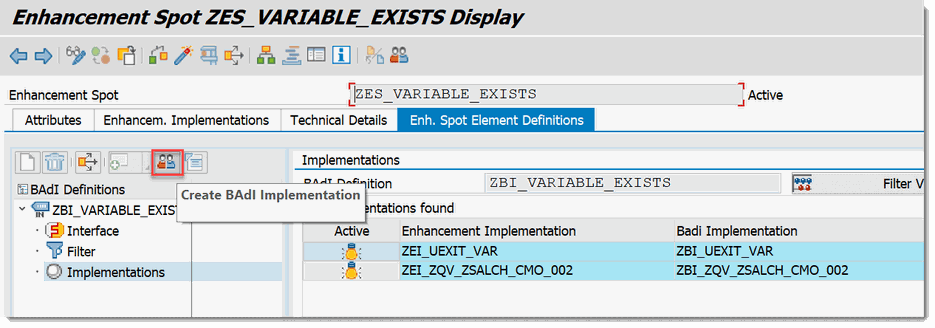
In my case I give the name ZEI_UEXIT_VAR as Enhancement Implementation, ZBI_UEXIT_VAR as BAdI Implementation and ZCL_UEXIT_VAR as class.
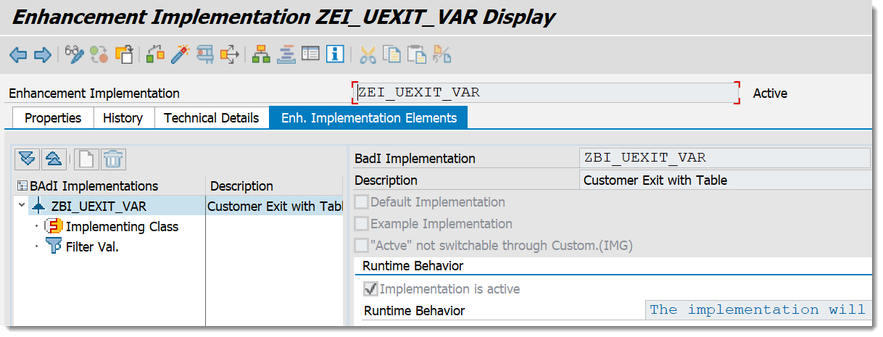
After we created the Enhancement Implementation, BAdI and class we now go to the transaction SE80 or to the Eclipse ADT and open our class. And add an attribute to the class.

We add the attribute GV_VARIABLES_EXIT with the default value IF_RSROA_VARIABLES_EXIT_BADI to our class. After we have done this, we now implement the following code:
Schreibe einen Kommentar