Update 01/2025
Name change from SAP Data Warehouse Cloud to SAP Datasphere. Some links may break
There are different ways to create hierarchies in Datasphere. One way is to use a CSV file and upload it into DSP. Another way is to use the existing hierarchies of your SAP BW system. In this
post, I want to show how to use a hierarchy from BW and transform it into a parent-child hierarchy in Datasphere. After the transformation, we use the hierarchy in a view.
First, we need a hierarchy on one InfoObject in SAP BW.
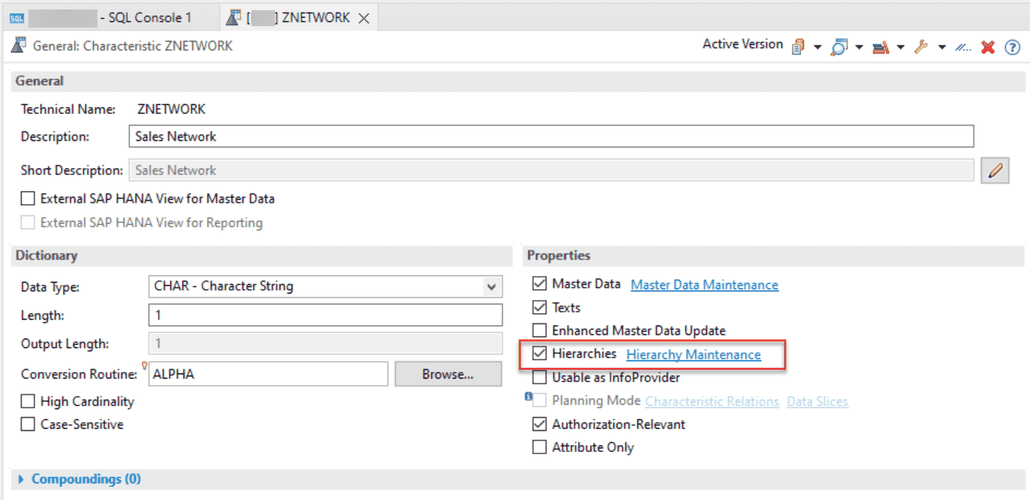
As we have now the hierarchy on the InfoObject, we can now transfer the H-Table as a remote table into Datasphere. For the transfer, we use the ABAP Connection and select under ABAP Tables the
corresponding table. With click on next step, we can import and deploy the table.

Now we have the H-Table in the Datasphere and can build an SQL View with a parent-child hierarchy. So let’s create a new SQL View in the Data Builder of the Datasphere.

I created a SQL View. The statement select the node name as parent id and the node name as child id from my hierarchy table.
 select ( select "NODENAME"
            from  "SPACE./BIC/HZNETWORK" as a
           where a."NODEID" = b."PARENTID" ) as PARENTID,
        ( select "NODENAME"
            from "SPACE./BIC/HZNETWORK" as a
           where a."NODEID" = b."NODEID" ) as CHILD_ID

   from "SPACE./BIC/HZNETWORK" as b
The result looks like this
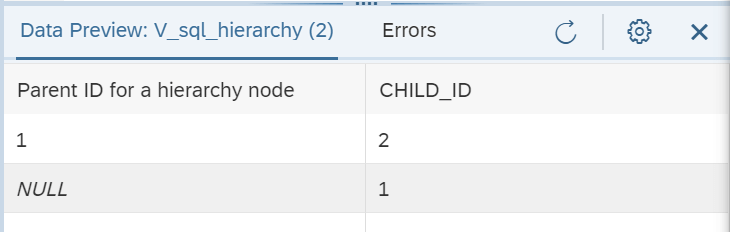
As you see, the hierarchy node 1 has a child with the id 2. The BW view looks like this:

Now we can use this view for an association with the dimension Sales Network (The InfoObject is ZNETWORK) (see figure 1) and use the dimension in the Sales View for filtering and navigation (see
figure 2).


In the SAP Analytics Cloud (SAC), the data looks like this:

Conclusion
This is just an example how you can create a parent-child hierarchy. SAP will offer such an option later when you look on the roadmap. I think this is an idea and if anyone has a better solution,
please feel free to share it. One restriction has the parent-child hierarchy at the moment. There are no text nodes supported yet. Maybe it comes with the next releases of Datasphere. Feel free
to share your thoughts on this idea in the comments.
author.


Schreibe einen Kommentar