In Analysis for Office 2.2 a new feature was published. You can now use your own Excel formulas in a Crosstab. First you have to add a row or column in your Crosstab. The table design is a feature since Analysis for Office 2.0.
You can add your formula.
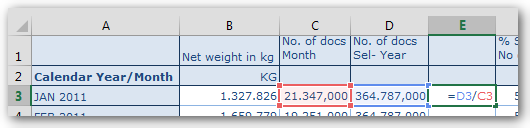
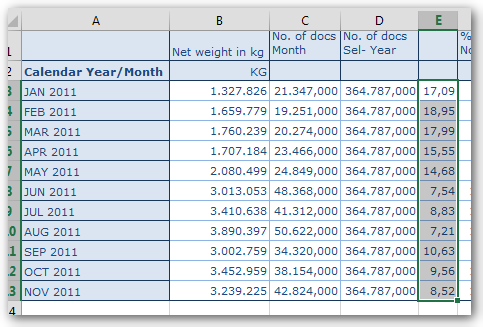
Then you can drag your formula down to the end of the Crosstab.
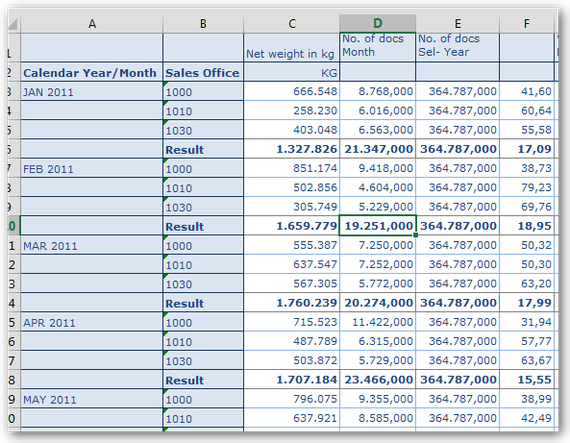
When you now add a new characteristic to the rows, you will see the Excel formula will be automatically adjusts.
These posts might also be intersting:
author.
I am Tobias, I write this blog since 2014, you can find me on twitter and youtube. If you want you can leave me a paypal coffee donation. You can also contact me directly if you want.

Schreibe einen Kommentar