At the end of last month I ask on Twitter why I should create a join between an Advanced DataStoreObject and an InfoObject to read the attributes from
this InfoObject when I even can activate the attributes on the output tab of the Composite Provider in SAP BW/4HANA. The answers on Twitter was not satisfactory, and I ask a colleague if he
knew a reason. So I build a Composite Provider with a join between an InfoObject and an ADSO in our BW/4HANA system.

Now I have the same picture as in my post on Twitter. The screenshot there is from the book BW4/HANA – An Introduction. So maybe when this book came out in 2017 it was a good idea to build a
Composite Provider like this. So let’s give it a try. First we need some data for our ADSO, so I used my Sales Data DSO which I already have. Then we have to create for this test an attribute. I
decided to add the Business Category to my Country InfoObject.
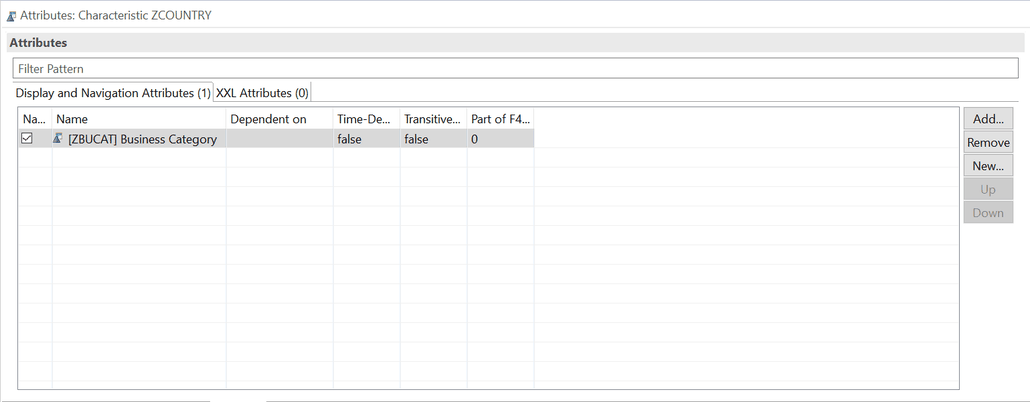
Now I thought I don’t win anything when I join the InfoObject Country with my ADSO Sales Data and add the Business Category from the InfoObject to my Composite Provider. So there must be a way to
use this scenario. So I added to my InfoObject Business Category the InfoObject Partner.
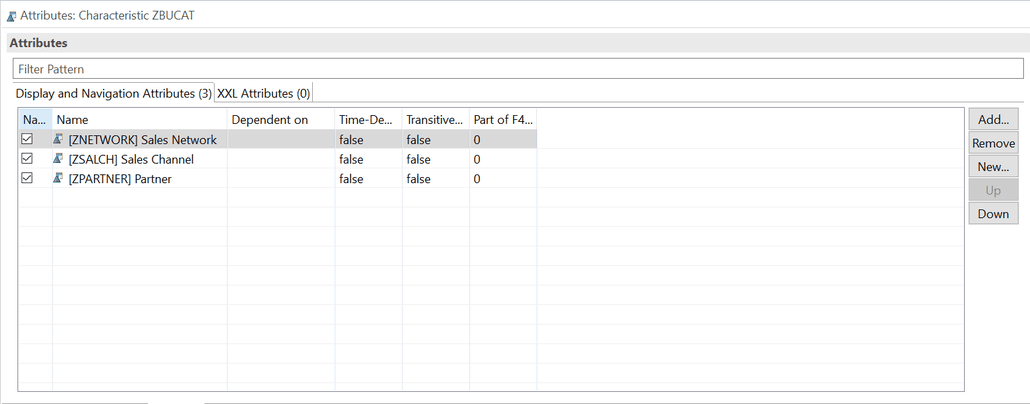
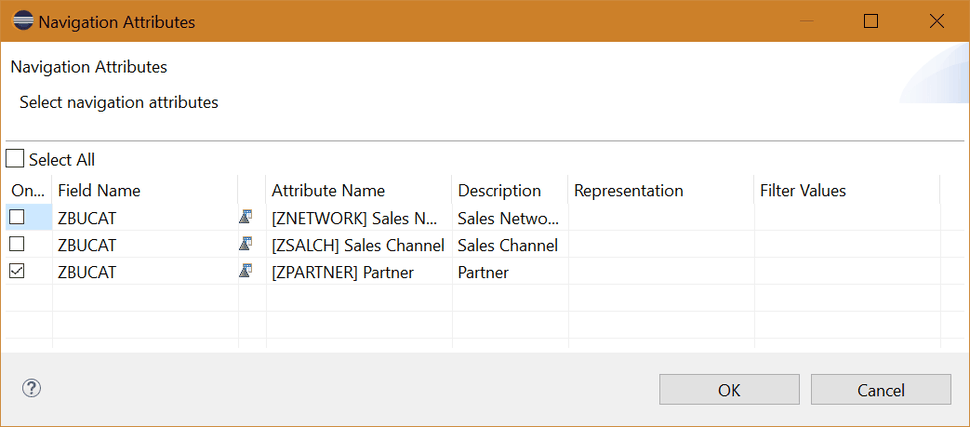
Now we are facing some cool idea. Can I report on my Partner and get the Sales Data for it? Even when the Partner is not in the ADSO or has a relationship to an object which is directly in the
Advanced DataStoreObject? So we can now activate on the output tab of the Composite Provider the navigation attribute of my Business Category.
So let’s look into SAP Analysis for Office and analyze the data with the Partner.
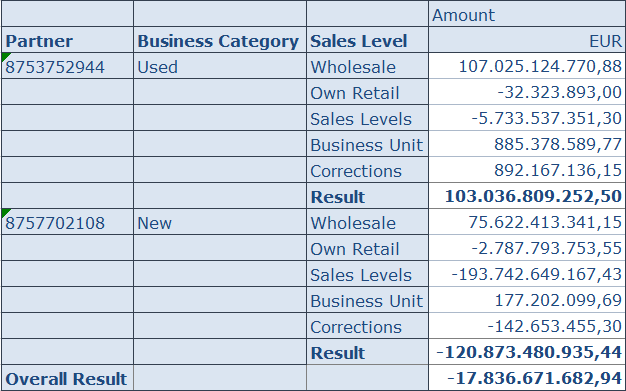
And voilà it works perfectly. Now I can analyze my data with a dimension which has nothing to do with my data model.
Conclusion
So I think this could be a nice way to combine data with InfoObjects which have nothing to do with the data model. So It could be for example to report the sales rep responsible profit
center with some financial data which as only the customer in the data model. So you have a link between the customer and as navigation attribute the sales rep. And each sales rep has a profit
center. What do you think about this idea?
author.

You want to know SAP Analysis for Office in a perfect detail?
You want to know how to build an Excel Dashboard with your Query in Analysis for Office?
You want to know how functions in SAP Analysis for Office works?
Then you have to take a look into Analysis for Office – The Comprehensive Guide. Either as a video course or as an e-book.

Schreibe einen Kommentar