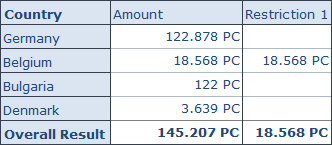
Here is a short post about something I just found and never used until now. You can create restrictions in Analysis Office by either
using the context menu of a measure or via the ribbon menu entry under Calculations >> Add Restrictions. It will display a new dialog where you can define your restrictions.
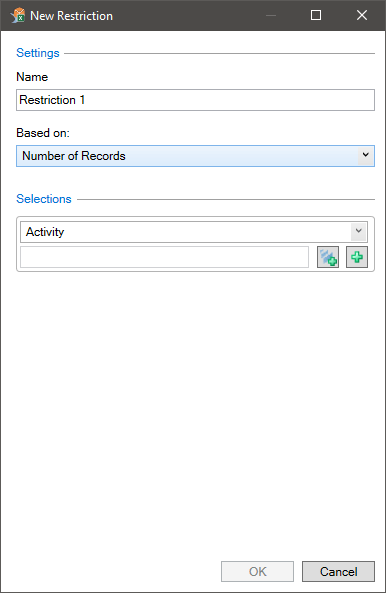
You have to define a name, a based on measure and your selection(s). After you defined your parameters, click OK and a new column will be added to your crosstab.
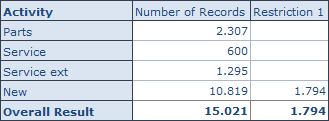
As you can see the restriction just show I have defined on my selection in the dialog above. I hope this could help someone.
These posts might also be interesting:
author.
I am Tobias, I write this blog since 2014, you can find me on twitter and youtube. If you want you can leave me a paypal coffee donation. You can also contact me directly if you want.

Schreibe einen Kommentar