A new feature of Analysis for Office 2.4 is that you have a function called Customize User Interface. On the
first view it looks similar to the Excel customize ribbon function. But it has more flexiblity to switch between different interfaces. First you have to open the Customize User
Interface dialog via File >> Analysis. The following dialog appears.
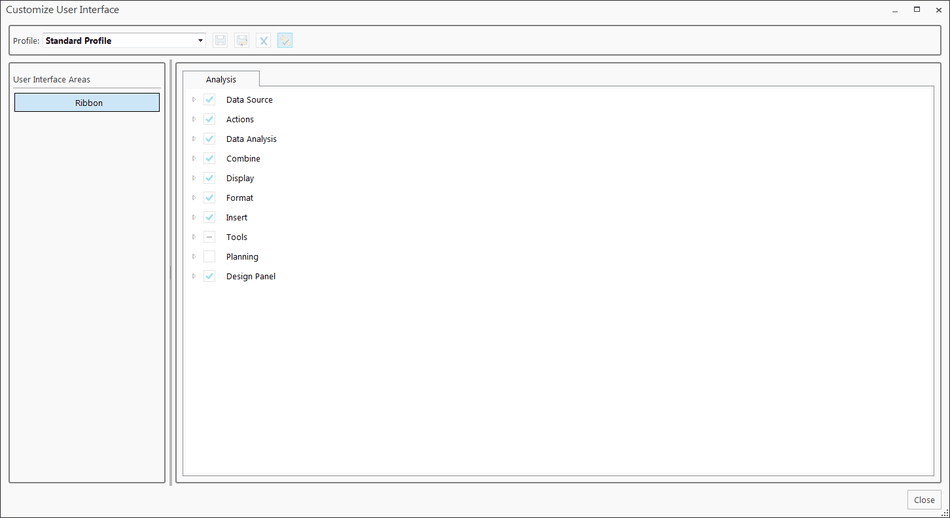
To define a new profile you have to click into the drop down box and enter a name, e.g. reyemsaibot. After you entered your profile name, the save button is active.
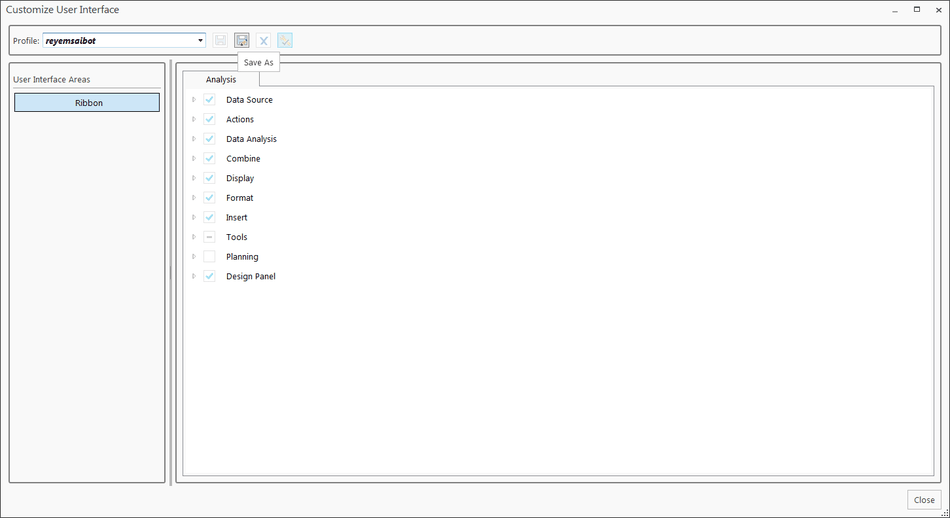
After you saved your profile, you can delete it or set it as standard profile.
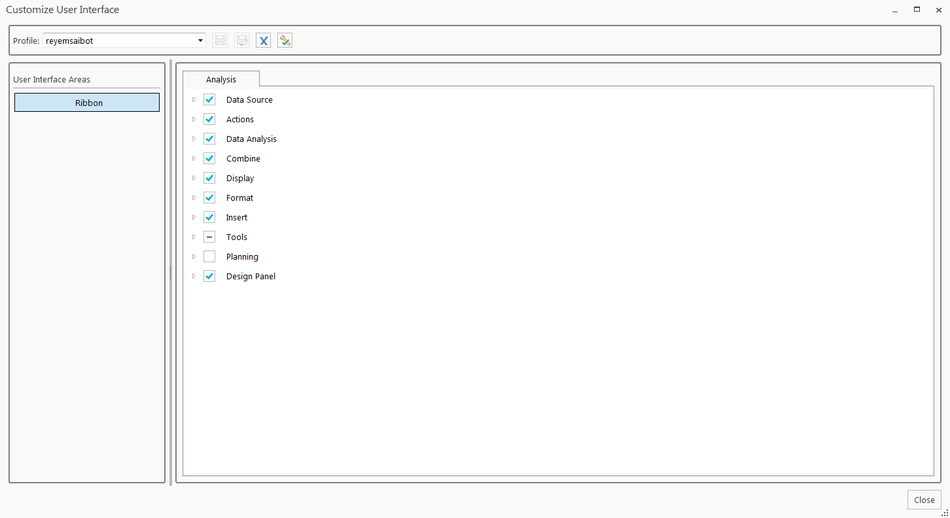
Now you can modify the ribbon interface by select or unselect the groups and elements. If you want to add a own function, make right click and add a New Group.
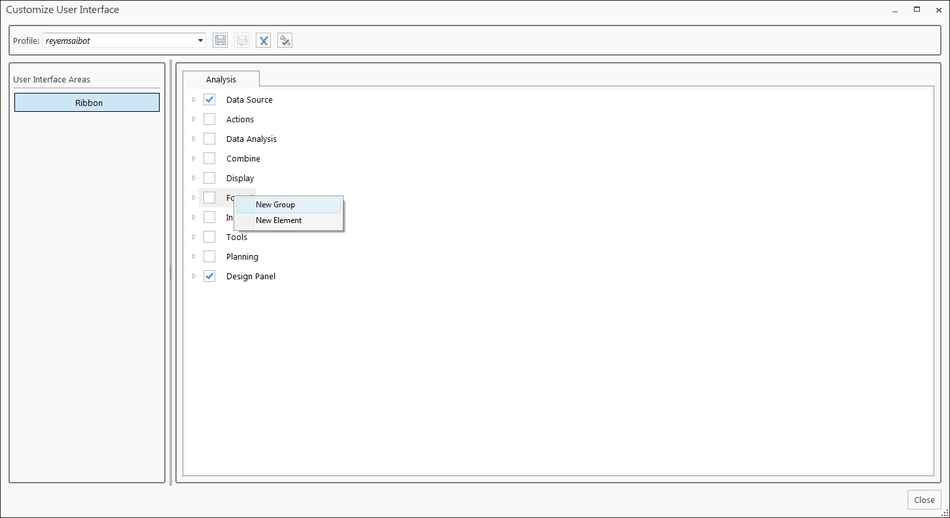
You can now define the group.
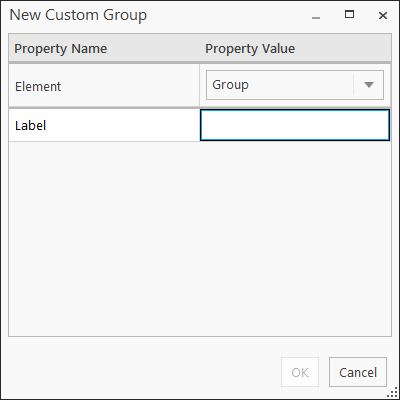
After you add the group, you are able to add your own elements to this group. Make a right click and select New Element. You can choose between Button,
Separator, Split Button and Toggle Button as element. For all elements except for Separator you have to define a
Label, Macro, Size and an Image.
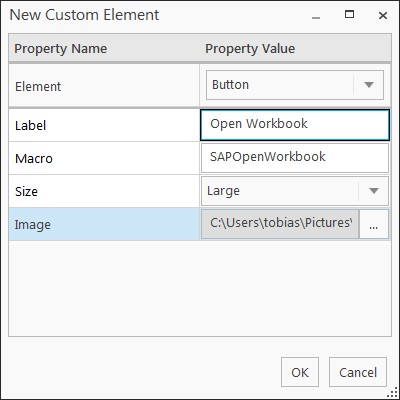
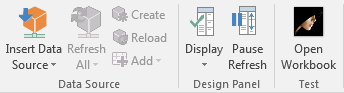
For example I add a Button Open Workbook and choose my macro SAPOpenWorkbook. You can choose your macro either in this workbook or in an external source like a
Excel add-in. So you are able to design different interface for different people or use cases. The interfaces are stored under
C:Users<User>AppDataRoamingSAPCofUser Interface. There you find a xml and an image folder, in which are the selected images are saved.

If you want to distribute them in your company, take these files (xml and the image folder) and move them to C:ProgramDataSAPCofUser Interface. Now it is a company user
interface and can’t be deleted by the user.
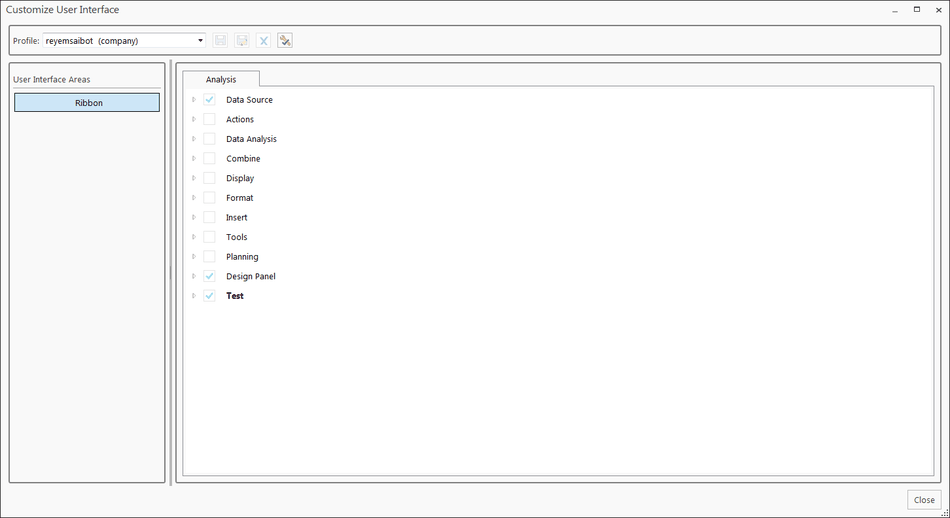
If there is any question feel free to write a comment. I think it is a cool feature if you want to restrict the view of the ribbon and distribute it in your company. If it will be used a lot,
will we see in the future. So stay tuned for other Analysis for Office 2.4 content.
These posts might also be interesting:
author.
I am Tobias, I write this blog since 2014, you can find me on twitter and youtube. If you want you can leave me a paypal coffee donation. You can also contact me directly if you want.

Schreibe einen Kommentar