As in BEx Analyzer, there is important information that you would like to represent in a Workbook. If you have worked with BEx Analyzer, this
screenshot should be familiar.

In Analysis for Office you can now insert this information easily via the Ribbon Menu.
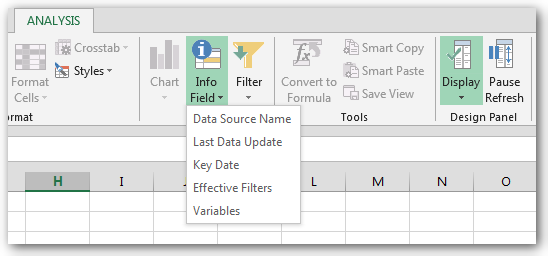
If the standard information is not enough, you can use the formula =SAPGetInfoLabel to add additional fields to your workbook. It is interesting in the context of Multiproviders. More
information how to use the formula, can you find in the SAP Analysis for Office UserGuide.
These posts might also be intersting:
author.
I am Tobias, I write this blog since 2014, you can find me on twitter and youtube. If you want you can leave me a paypal coffee donation. You can also contact me directly if you want.

Schreibe einen Kommentar